Search across every agent at once
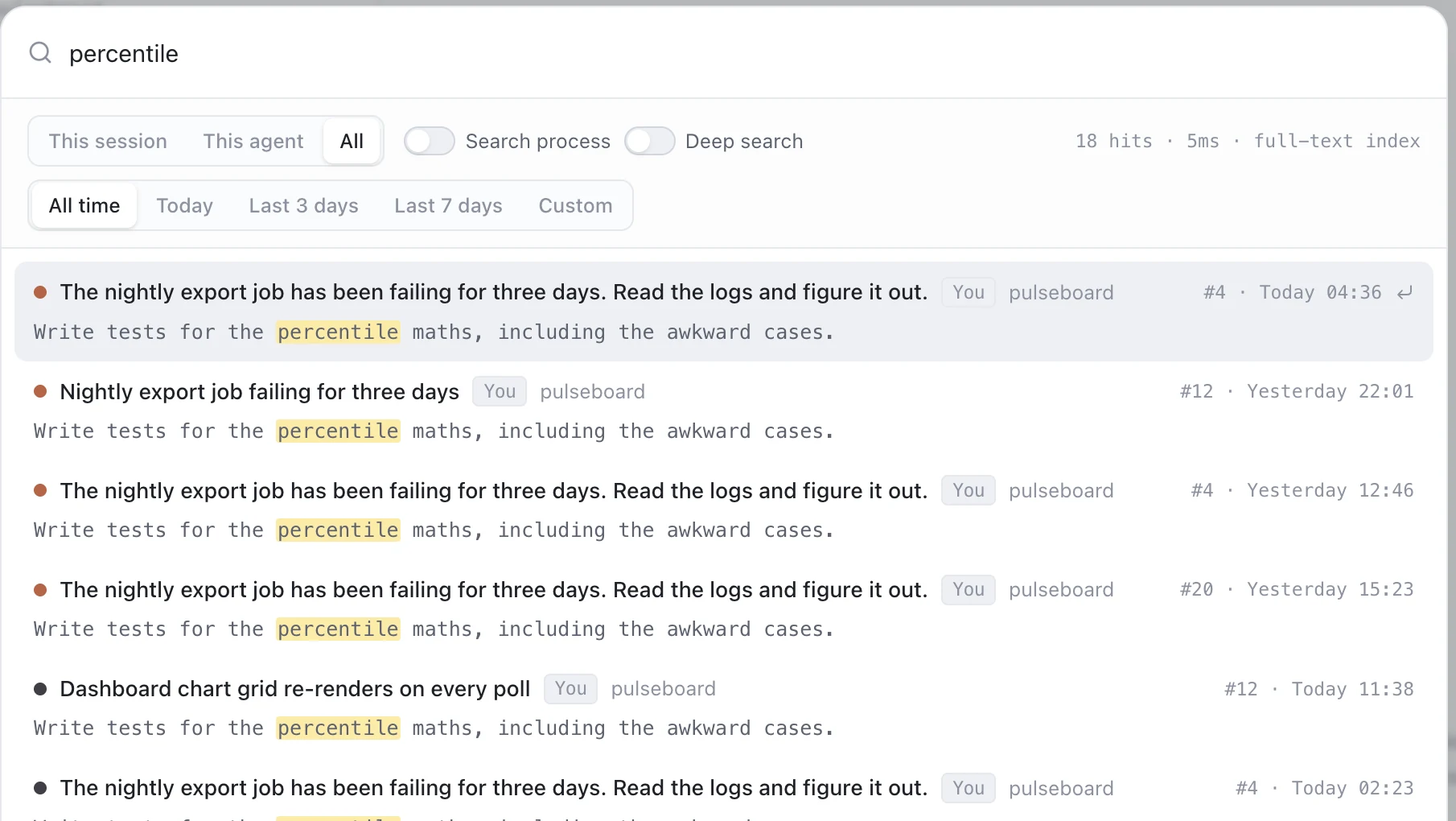
A SQLite FTS5 index over your questions and the agents' answers. Type ⌘K, get hits from every agent and every project, ranked — single-digit milliseconds on a 580 MB index.
Local-first · macOS · no account
Your conversations with Claude Code, Codex, OpenCode and the Gemini CLI family are scattered across four different folder layouts. TokenBook indexes all of them into one local database — so you can search every task you've ever handed an agent, across every project, in one place.
git clone https://github.com/dmxj/tokenbook && cd tokenbook && pnpm i && npm run install:mac
Free and MIT licensed. Reads your agent history read-only — it never writes to those folders.
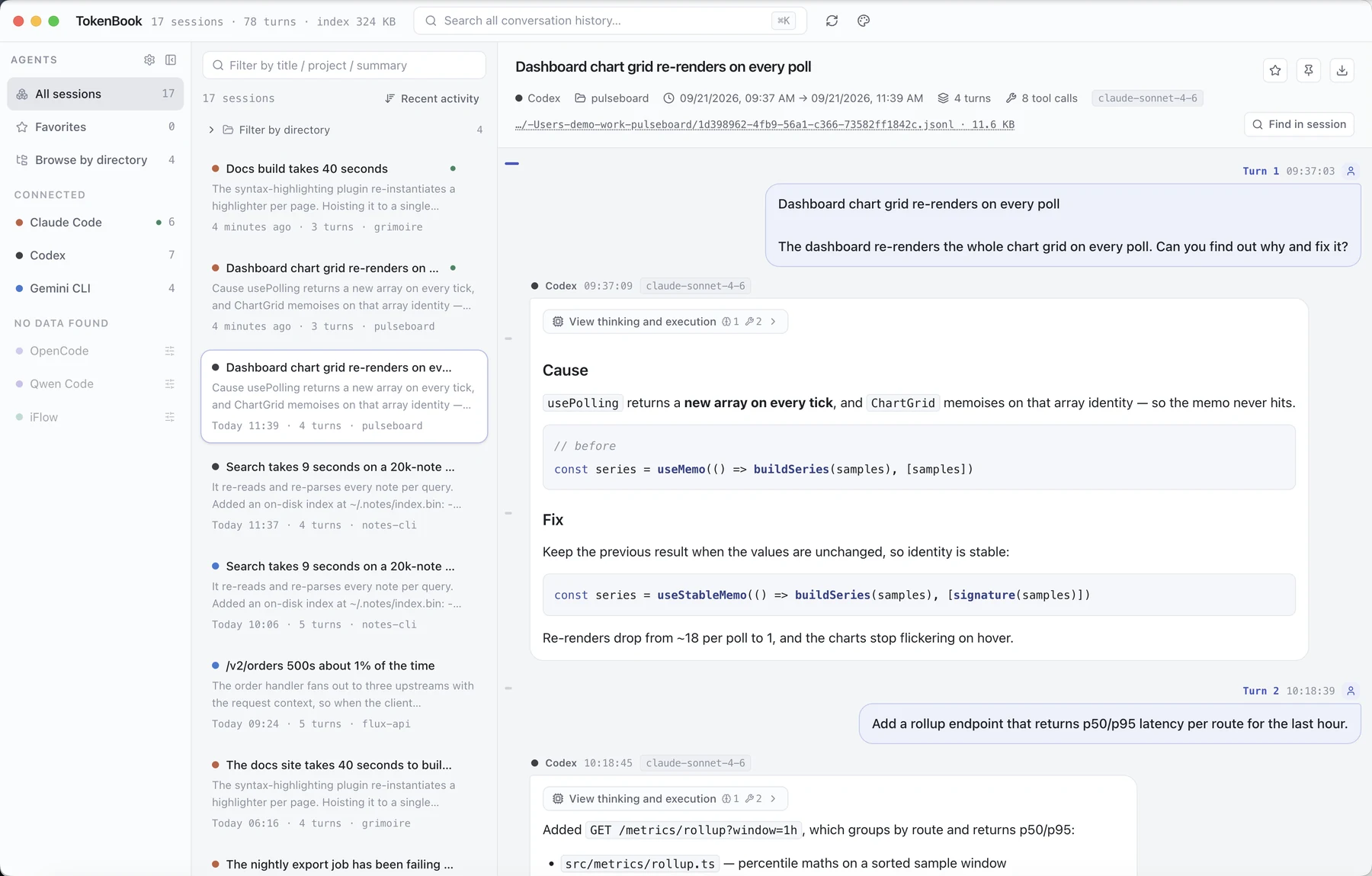
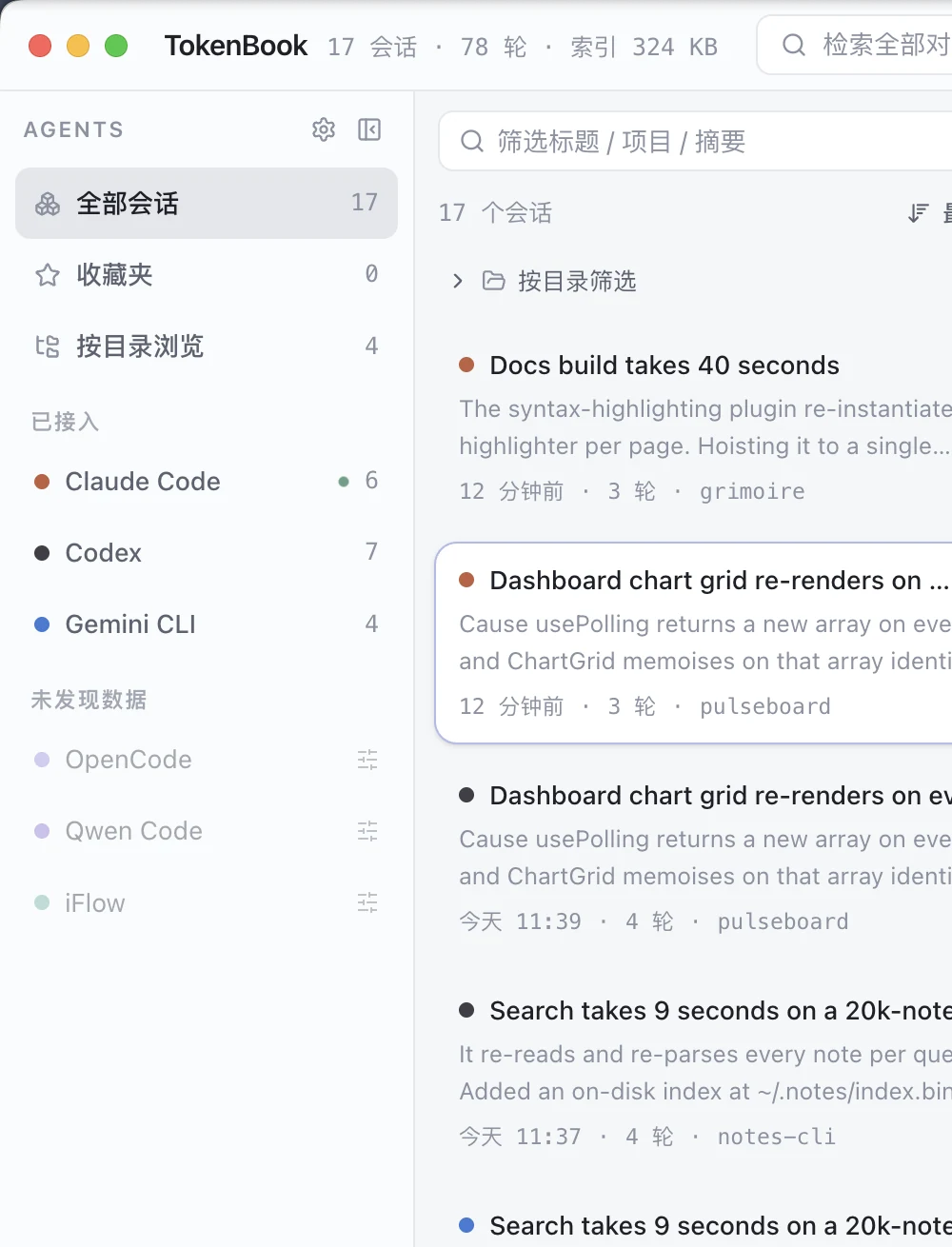
Three panes: agents on the left, sessions in the middle, the full transcript on the right. Screenshots use a demo dataset.
It's not about keeping history.
It's about never solving the same problem twice.
A SQLite FTS5 index over your questions and the agents' answers. Type ⌘K, get hits from every agent and every project, ranked — single-digit milliseconds on a 580 MB index.
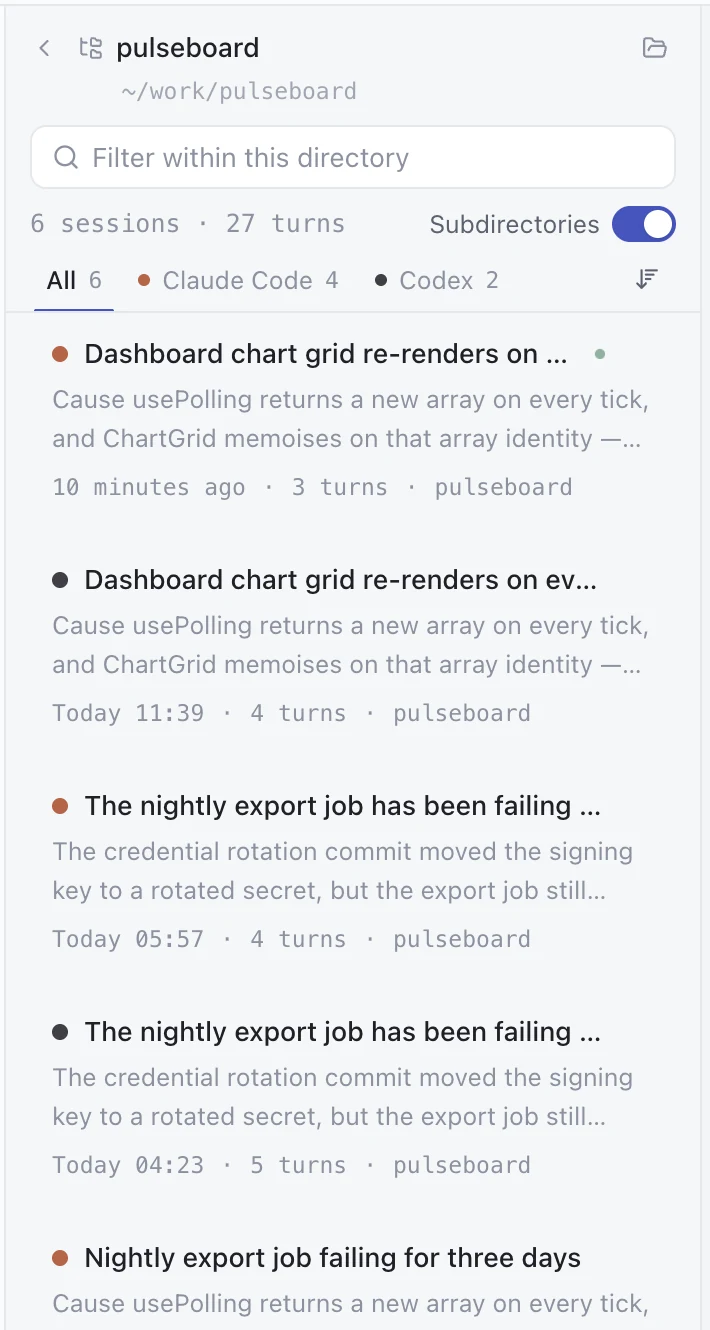
Every session records the folder it ran in. Pick a project and see all of it — the Claude Code sessions, the Codex ones, the Gemini ones — in one list, split into tabs per agent.
Export a whole session or a single turn as Markdown or JSON — full fidelity, not the truncated copy the UI shows. Hand a debugging session to a colleague or paste it into an issue.
Project view
Sessions are grouped by the working directory they recorded — not by which folder the agent happens to write its logs to. Tabs count them per agent, and an “include subdirectories” switch rolls up anything nested underneath.
Search
By default only your questions and the agents' answers are matched, so results stay about the work. Flip one switch to include thinking blocks, tool calls and intermediate output — which is usually where the answer to “why did it do that?” is hiding.
Reading
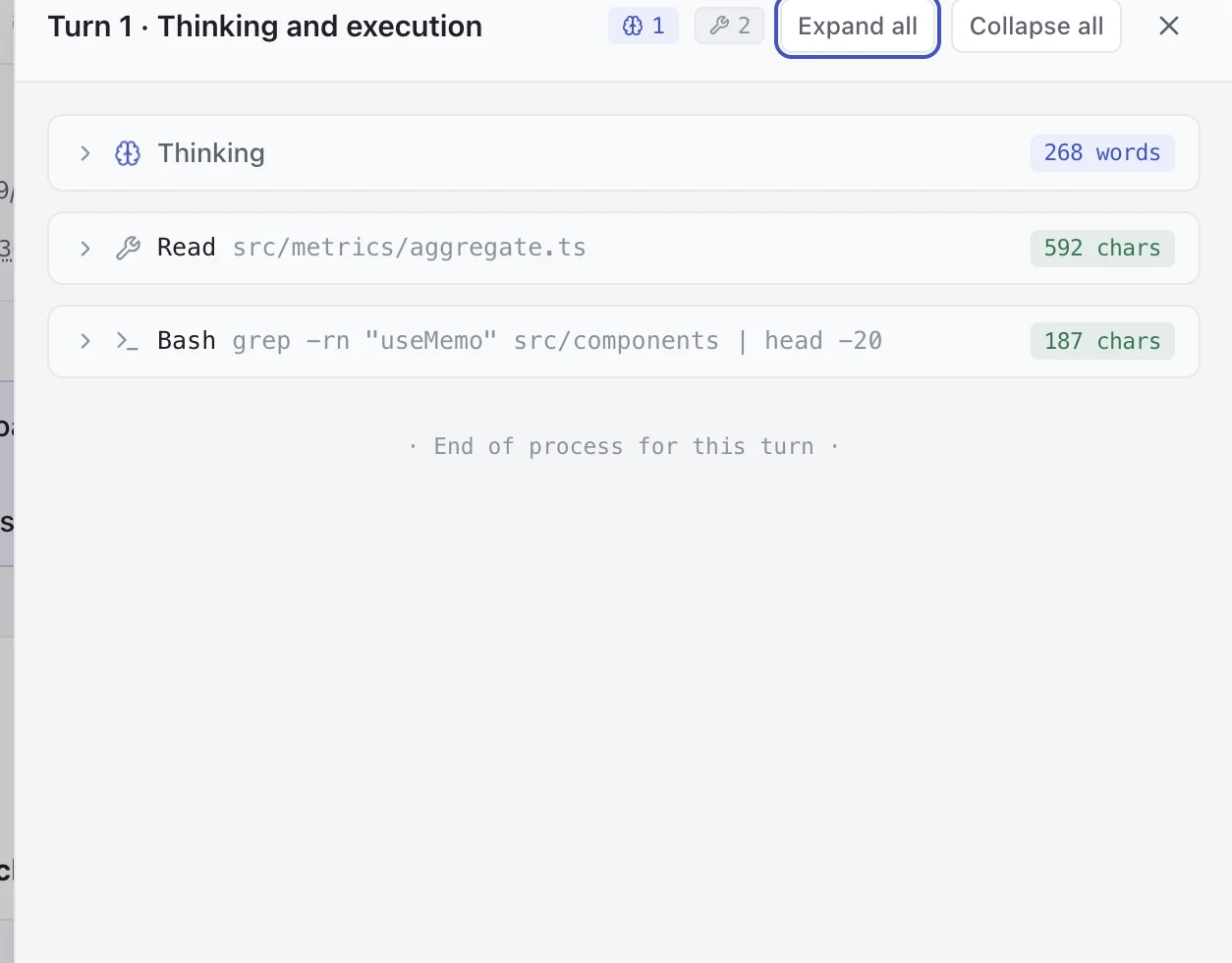
Each turn keeps its original shape: your question on the right, the agent's answer on the left, with thinking and tool calls one click away in a side panel. Long tool output collapses so the transcript stays readable.
# Dashboard chart grid re-renders on every poll

- **Agent**: Claude Code
- **Project**: pulseboard
- **Turns**: 4   ·   **Tool calls**: 8

---

## Turn 1

### Question

The dashboard re-renders the whole chart grid…

### Answer

## Cause

`usePolling` returns a **new array on every tick**…
Supported
Each agent writes its history somewhere different. TokenBook has a parser for each layout, and auto-detects which one a folder uses.
Using something else? Add a custom source, point it at the folder and pick a parser — or let the auto-detector work it out.
Getting started
Build it and drop it in /Applications. Or run npm run pack:mac if you'd rather place it yourself.
It probes the standard locations for each agent and indexes what it finds on first launch. A few hundred sessions takes seconds.
⌘K searches everything, ⌘F searches inside the session you're reading. Open a session to read it turn by turn.
Under the hood
On the machine this was written on: 842 sessions and 6,466 turns index to 583 MB. Searches land in single-digit milliseconds.
No. There is no account, no telemetry and no update check. It reads local files and writes one SQLite database in ~/Library/Application Support.
Everything under ~/.claude, ~/.codex and friends is opened read-only. TokenBook never writes there, and deleting its index only costs you a re-index.
It stores a searchable copy of the text. You can shrink it a lot by leaving “index tool output” off, which keeps large tool results out of the full-text index — they stay searchable through deep search, just slower.
It's an Electron app, so probably — but it has only been built and used on macOS (arm64). The install helper is macOS-only. Treat other platforms as untested.
Yes. With the file watcher on, a session being written to right now re-indexes within a second or two, and the session list marks it as in progress.